
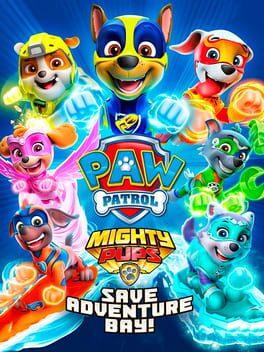
Compare PAW Patrol Mighty Pups: Save Adventure Bay! PS5 Key Prices
2020
- Release
- 6 Nov 2020
- Platforms
- PC · PS5 · PS4 · Xbox One · Nintendo Switch
- Genres
- Adventure
No shop offers PAW Patrol Mighty Pups: Save Adventure Bay! on PS5 right now. We check the key shops all the time and list new offers here.
No offer right now.
Price comparison for PAW Patrol Mighty Pups: Save Adventure Bay!






About PAW Patrol Mighty Pups: Save Adventure Bay!
PAW Patrol Mighty Pups: Save Adventure Bay! Game Info
Embark on a super-powered adventure with the PAW Patrol in PAW Patrol Mighty Pups: Save Adventure Bay!
Game Overview
PAW Patrol Mighty Pups: Save Adventure Bay! is a family-friendly adventure game where players join Ryder and the Mighty Pups on a heroic mission to save Adventure Bay from Mayor Humdinger's chaos. The game is designed for younger players and features simple gameplay mechanics and engaging storylines. Find the best price for PAW Patrol Mighty Pups: Save Adventure Bay! and buy PAW Patrol Mighty Pups: Save Adventure Bay! game key cheap.
Storyline and Setting
A meteor has given the PAW Patrol mighty powers! Mayor Humdinger and his Kitten Catastrophe Crew are causing trouble all over Adventure Bay. It's up to the Mighty Pups to use their new abilities – like super speed, mighty heat, and more – to rescue the town and make it PAW-some again.
Gameplay Features
- Play as your favorite Mighty Pup, each with unique super powers.
- Explore Adventure Bay and iconic locations like Jake's Mountain, Farmer Yumi's Farm, and more.
- Enjoy fun mini-games and rescue missions designed for young players.
- Team up with a friend in co-op mode for double the heroic action.
Co-op or Multiplayer
The game features a 2-player co-op mode, allowing kids to play together and complete missions as a team.
Editions and DLCs
Currently, there are no announced DLCs for PAW Patrol Mighty Pups: Save Adventure Bay!.
System Requirements
- Operating System: Windows 10 / 8 / 7 / Vista
- Processor: Intel Core 2 Duo E8400 / AMD Athlon 64 X2 6000+
- Memory: 2 GB RAM
- Graphics: NVIDIA GeForce 9600 GT / AMD Radeon HD 3870
- DirectX: Version 9.0c
- Storage: 2 GB available space
Public and Critic Reviews
PAW Patrol Mighty Pups: Save Adventure Bay! review 2025 indicates that the game is generally well-received by its target audience, with praise for its accessibility and faithfulness to the PAW Patrol series. However, some critics note that the gameplay may be too simple for older players. Is PAW Patrol Mighty Pups: Save Adventure Bay! worth it? For young fans of the show, it offers an engaging and enjoyable experience.
Where to Buy Game Keys
Find the PAW Patrol Mighty Pups: Save Adventure Bay! Steam key or PAW Patrol Mighty Pups: Save Adventure Bay! CD key at various online retailers. Use a PAW Patrol Mighty Pups: Save Adventure Bay! key comparison tool to find the best price for PAW Patrol Mighty Pups: Save Adventure Bay! and where to buy PAW Patrol Mighty Pups: Save Adventure Bay! game online.
- Genres
- Adventure
- Release
- 6 Nov 2020
Top 10
-
 Grand Theft Auto V PS5 Account €15,68
 -
 The Witcher 3: Wild Hunt PS5 Account €11,43
 -
 God of War PS5 Account €14,21
 -
 Assassin's Creed: Origins PS5 Account €4,32
 -
 Assassin's Creed: Unity PS5 Account €14,24
 -
 Resident Evil 7: Biohazard PS5 Account €11,12
 -
 Assassin's Creed: Syndicate PS5 Account €7,01
 -
 Far Cry 5 PS5 Account €9,47
More Adventure
All Adventure · PlayStation


This is an account, not a key
With this offer you get the login data of an account that someone else created. The game stays on that account and never belongs to you.
The platform can lock such an account, for example because the resale of accounts breaks its terms of use. You then lose access to the game.
What to check before you buy PAW Patrol Mighty Pups: Save Adventure Bay!
The price of a PAW Patrol Mighty Pups: Save Adventure Bay! key depends on the shop, the platform and the edition. This page lists the current offers of the key shops that we compare. Prices include coupons, payment fees excluded.
No shop offers PAW Patrol Mighty Pups: Save Adventure Bay! on PS5 right now. We check the key shops all the time and list new offers here.
Is it safe to buy from key shops?
Key shops are retailers or marketplaces on which other sellers also offer keys. Before you buy, read the product page of the shop: it shows the region, the platform and the type of the offer. A payment method with buyer protection gives you more security if a problem occurs.
Key, gift or account?
A key is a code that you redeem yourself in the platform client. You accept a gift through your account, often with a region lock. An account gives you the login data of an account that holds the game, and the game does not belong to you. For this reason, the product type filter does not show accounts by default.