
Compare Content Warning Xbox One Key Prices
2024
- Release
- 1 Apr 2024
- Platforms
- PC · PS5 · Xbox Series X/S · Xbox One · Nintendo Switch · Nintendo Switch 2
- Genres
- Adventure · Indie
No shop offers Content Warning on Xbox One right now. We check the key shops all the time and list new offers here.
No offer right now.
Price comparison for Content Warning





About Content Warning
Content Warning Game Info
Explore the Old World in this co-op horror game!
Simple content line.
Game Overview
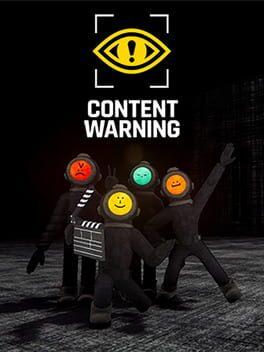
Content Warning is a co-op horror game where you and your friends film scary things to try to become famous on SpöökTube. The game emphasizes teamwork and managing resources like camera battery and oxygen. Brave the dangers, capture the footage, and upload it before the night is over!
Storyline and Setting
You and your crew descend into the Old World, a dark and mysterious place filled with physics-based animated monsters, cursed objects, and other terrifying phenomena. The goal is to record as much scary footage as possible before your oxygen runs out, your camera dies, or the monsters get you.
Gameplay Features
- Co-op Horror: Team up with friends for a terrifying and hilarious experience.
- Filming and Uploading: Capture scary moments on camera and upload them to SpöökTube to gain views.
- Resource Management: Manage your oxygen, battery life, and sanity as you explore the Old World.
- Physics-Based Monsters: Encounter unique and terrifying monsters with realistic physics.
- Fame or Failure: Become a SpöökTube sensation or die trying.
Co-op or Multiplayer
Content Warning is designed as a cooperative multiplayer experience for 2-4 players. Teamwork is essential for survival and success.
Editions and DLCs
Currently, there are no announced DLCs for Content Warning. Keep an eye out for future updates and content additions.
System Requirements
- OS: Windows 10
- Processor: TBD
- Memory: TBD
- Graphics: TBD
- Storage: TBD
Please note that these are preliminary system requirements and may change.
Public and Critic Reviews
Content Warning review 2025: Initial reception has been positive, with players praising the game's unique blend of horror and humor, as well as its engaging co-op gameplay. Is Content Warning worth it? Many players find the game to be a worthwhile experience, especially when played with friends.
Where to Buy Game Keys
Find the best price for Content Warning by comparing prices on various online stores. Look for Content Warning Steam key deals and Content Warning CD key offers. You can buy Content Warning game key cheap through authorized retailers. Compare Content Warning key comparison sites to find the best deals and where to buy Content Warning game online.
FAQ
Q: Is Content Warning scary?
A: Yes, Content Warning features horror elements and can be quite frightening, especially when playing with friends.
Q: How many players can play Content Warning?
A: Content Warning supports 2-4 players in online co-op.
Top 10
-
 Grand Theft Auto V Xbox One Account €12,35
 -
 The Witcher 3: Wild Hunt Xbox One €16,14
 -
 Bioshock Infinite Xbox One Account €1,89
 -
 Assassin's Creed IV: Black Flag Xbox One Account €1,99
 -
 Fallout 4 Xbox One €4,21
 -
 Batman: Arkham Knight Xbox One Account €1,79
 -
 Middle-earth: Shadow of Mordor Xbox One Account €6,25
 -
 South Park: The Stick of Truth Xbox One €2,19


This is an account, not a key
With this offer you get the login data of an account that someone else created. The game stays on that account and never belongs to you.
The platform can lock such an account, for example because the resale of accounts breaks its terms of use. You then lose access to the game.
What to check before you buy Content Warning
The price of a Content Warning key depends on the shop, the platform and the edition. This page lists the current offers of the key shops that we compare. Prices include coupons, payment fees excluded.
No shop offers Content Warning on Xbox One right now. We check the key shops all the time and list new offers here.
Is it safe to buy from key shops?
Key shops are retailers or marketplaces on which other sellers also offer keys. Before you buy, read the product page of the shop: it shows the region, the platform and the type of the offer. A payment method with buyer protection gives you more security if a problem occurs.
Key, gift or account?
A key is a code that you redeem yourself in the platform client. You accept a gift through your account, often with a region lock. An account gives you the login data of an account that holds the game, and the game does not belong to you. For this reason, the product type filter does not show accounts by default.