
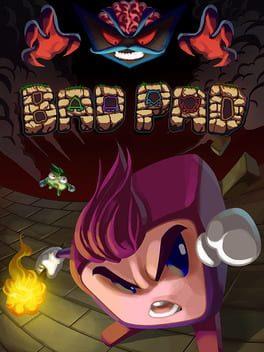
Compare Bad Pad Key Prices
2018
- Release
- 8 Aug 2018
- Platforms
- PC
- Genres
- Platform · Indie
For Bad Pad on PC we compare 5 offers from 5 shops. The cheapest key costs €7,74 at GameBoost, the most expensive €14,02. Activation runs through Steam.
 Steam
Steam
 GameBoost · GLOBAL · Key Key
 Prices include coupons, payment fees excluded.
Region
Where you activate
Popular
Other regions
Price comparison for Bad Pad
Where you activate
Popular
Other regions
Choose platform

Filters
Region
Popular
Other regions
Activation
Product type
Oops, no offers match your filters
Change the filters or reset them to see all offers.
Steam Activation & delivery
Activates on Steam: you need a free Steam account.
Region: GLOBAL
Key: a code that you redeem yourself in the platform client.
Always check the shop's product page before you buy.
- GLOBAL
- Key
How this price is calculated
- Price before coupon
- €9,00
- Coupon GKC14 −14 %
- −€1,26
- Price after coupon
- €7,74
Prices include coupons, payment fees excluded.
As of 11 min ago. The shop price may have changed since.
 Steam
Steam Activation & delivery
Activates on Steam: you need a free Steam account.
Region: GLOBAL
Key: a code that you redeem yourself in the platform client.
Always check the shop's product page before you buy.
- GLOBAL
- Key
How this price is calculated
- Price before coupon
- €8,76
- Coupon GKC5 −5 %
- −€0,44
- Price after coupon
- €8,32
Prices include coupons, payment fees excluded.
As of 16 min ago. The shop price may have changed since.
 Steam
Steam Activation & delivery
Activates on Steam: you need a free Steam account.
Region: GLOBAL
Key: a code that you redeem yourself in the platform client.
Always check the shop's product page before you buy.
- GLOBAL
- Key
How this price is calculated
- Shop price
- €12,82
Prices include coupons, payment fees excluded.
As of 16 min ago. The shop price may have changed since.
 Steam
Steam Activation & delivery
Activates on Steam: you need a free Steam account.
Region: GLOBAL
Key: a code that you redeem yourself in the platform client.
Always check the shop's product page before you buy.
- GLOBAL
- Key
How this price is calculated
- Price before coupon
- €14,45
- Coupon gamekeycompare −3 %
- −€0,43
- Price after coupon
- €14,02
Prices include coupons, payment fees excluded.
As of 14 min ago. The shop price may have changed since.
 Steam
Steam Activation & delivery
Activates on Steam: you need a free Steam account.
Region: GLOBAL
Key: a code that you redeem yourself in the platform client.
Always check the shop's product page before you buy.
- GLOBAL
- Key
- Out of stock
How this price is calculated
- Shop price
- €5,79
Prices include coupons, payment fees excluded.
As of 11 min ago. The shop price may have changed since.


PC: 5 offers, from €7,74. Prices include coupons, payment fees excluded.
About Bad Pad
Bad Pad Game Info
Dive into the quirky world of Bad Pad, a challenging platformer where you control a sentient gamepad!
Game Overview
Bad Pad is a precision platformer that puts you in control of a gamepad brought to life. Navigate treacherous levels filled with obstacles, traps, and enemies. Expect a high level of difficulty and a unique control scheme that will test your skills. If you're looking for a challenging and rewarding platforming experience, Bad Pad might be for you. Find the best price for Bad Pad and buy Bad Pad game key cheap.
Storyline and Setting
The game takes place within a digital world where discarded technology comes to life. You play as a "Bad Pad," a rejected gamepad seeking purpose and adventure. The storyline is lighthearted and serves as a backdrop for the challenging gameplay.
Gameplay Features
- Unique Control Scheme: Master the unconventional controls of a gamepad character.
- Challenging Platforming: Overcome difficult obstacles and traps.
- Retro-Inspired Graphics: Enjoy a nostalgic visual style.
- Original Soundtrack: Immerse yourself in the game's atmosphere with a catchy soundtrack.
Co-op or Multiplayer
Bad Pad is primarily a single-player experience. Currently, there are no co-op or multiplayer modes available.
Editions and DLCs
As of 2025-06-10, there are no announced DLCs for Bad Pad. The game is available in a standard edition.
System Requirements
- Operating System: Windows 7 or higher
- Processor: Intel Core i3 or equivalent
- Memory: 4 GB RAM
- Graphics: NVIDIA GeForce GTX 650 or equivalent
- Storage: 2 GB available space
Public and Critic Reviews
Bad Pad review 2025: Initial reception has been mixed, with praise for its unique concept and challenging gameplay, but criticism for its high difficulty. Is Bad Pad worth it? It depends on your tolerance for challenging platformers.
Where to Buy Game Keys
Find the best deals and buy Bad Pad game key cheap at these online stores:
- Steam: Search for "Bad Pad Steam key"
- Other online retailers: Use "Bad Pad key comparison" to find the best price. Look for a Bad Pad CD key or a Bad Pad Steam key. Find where to buy Bad Pad game online.
FAQ
- Is Bad Pad difficult? Yes, Bad Pad is known for its challenging gameplay.
- Does Bad Pad have multiplayer? No, Bad Pad is a single-player game.
- Where can I buy Bad Pad? You can purchase Bad Pad on Steam and other online game retailers.
Similar Games




More Platform
All Platform · PC


This is an account, not a key
With this offer you get the login data of an account that someone else created. The game stays on that account and never belongs to you.
The platform can lock such an account, for example because the resale of accounts breaks its terms of use. You then lose access to the game.
What to check before you buy Bad Pad
The price of a Bad Pad key depends on the shop, the platform and the edition. This page lists the current offers of the key shops that we compare. Prices include coupons, payment fees excluded.
For Bad Pad on PC we compare 5 offers from 5 shops. The cheapest key costs €7,74 at GameBoost, the most expensive €14,02. Activation runs through Steam.
Is it safe to buy from key shops?
Key shops are retailers or marketplaces on which other sellers also offer keys. Before you buy, read the product page of the shop: it shows the region, the platform and the type of the offer. A payment method with buyer protection gives you more security if a problem occurs.
Key, gift or account?
A key is a code that you redeem yourself in the platform client. You accept a gift through your account, often with a region lock. An account gives you the login data of an account that holds the game, and the game does not belong to you. For this reason, the product type filter does not show accounts by default.